You asked for a poster 90 cm wide and measured 84. Or a sewing pattern that has to be 1:1 came out slightly small. Every sheet is internally consistent — the whole thing is just the wrong size.
Fix 1 — the print dialog is scaling it
This is the cause about nine times out of ten.
Set your printer dialog to 100% or Actual Size. Turn off:
- Fit to page
- Shrink oversized pages
- Scale to fit printable area
- Borderless printing, which usually scales up a few percent
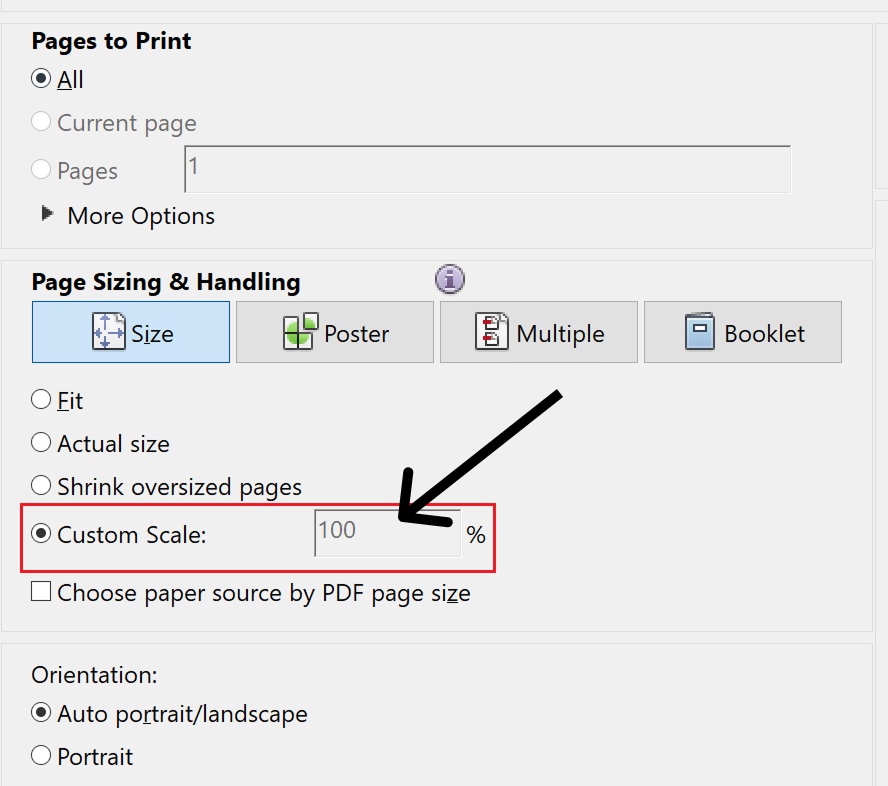
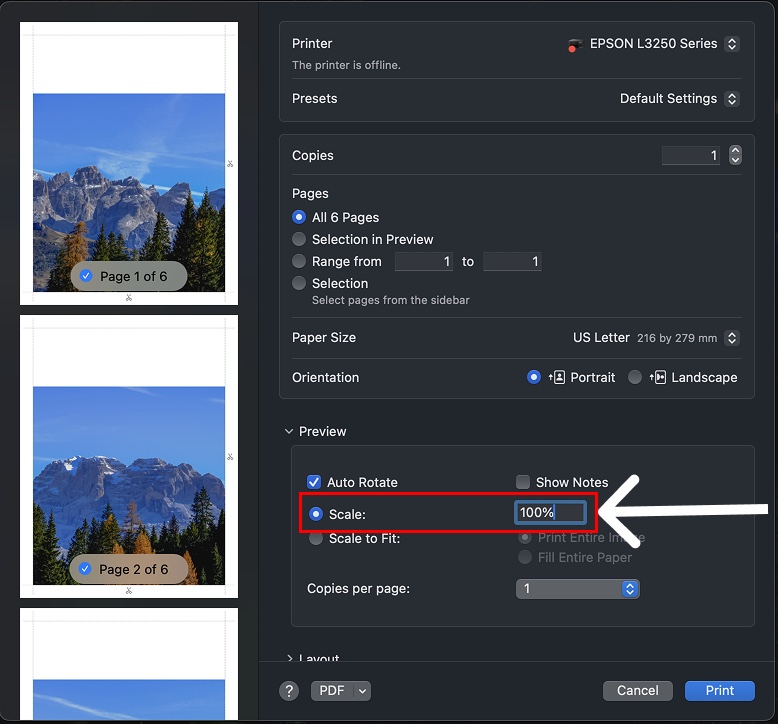
Fit-to-page is the default in several PDF readers, and it shrinks each sheet by a few percent to clear the printer's unprintable border. A few percent on every sheet is several centimetres across a poster, and it is why the total is short.
How to confirm it in one sheet: print page 1, measure the printable area, compare with the export preview. If it is a few percent under, it is the scaling.
Full checklist: print settings that matter.
Fix 2 — you were in grid mode, not size mode
The two modes answer different questions.
- Grid mode fixes the number of sheets. The finished size is whatever that adds up to — it is an output, not something you asked for.
- Size mode fixes the finished dimensions and works out the sheet count.
If the exact finished size matters, you want size mode. See grid mode and size mode.
Fix 3 — the paper in the printer is not the paper you designed for
If the export is A4 and the printer is loaded with Letter — or the dialog is set to Letter — the driver will scale or clip to reconcile them. A4 and Letter are close enough that the result looks plausible and measures wrong.
Check the tray as well as the dialog.
Fix 4 — the unit
Check the unit selector next to the dimensions. 90 cm and 90 in are both valid entries and only one of them is what you meant.
For patterns and anything that must be 1:1
Sewing patterns, woodworking templates, life-size references — print one sheet first and measure the test square if the pattern has one, or measure a known feature. Confirm it before printing the other twenty-nine sheets.
If the test square is wrong, it is the scaling. It is essentially always the scaling.