The birthday is Saturday. The nearest printing shop closed at six, or it is an hour away, or it wants two days for a banner that will hang for one afternoon.
A tarpapel generator solves exactly that. It takes your design, splits it across ordinary A4 sheets, and gives you a file you print on the printer in the next room.
What a tarpapel actually is
Tarpapel is Taglish — tarpaulin plus papel. It is a tarpaulin-style banner made of paper: same design, same size, same job, printed in pieces and taped together instead of being printed on vinyl.
They go up for birthdays, graduations, debuts, despedidas, welcome-home parties, fiestas, reunions, church events and campaigns. The design is usually one big greeting, a name, a date and a photo or a background.
The difference from a real tarpaulin is durability, and that is the trade you are making: paper will not survive rain, so a tarpapel is an indoor or one-day banner. For a party wall, that is all it ever needed to be.
What makes a good tarpapel generator
Four things, and most tools miss at least two:
- Real sizes, not page counts. You order a tarpapel as 2 x 3 feet or 3 x 4 feet. The app has to take feet, not ask how many pages you want.
- Cut lines. Every sheet comes out with a blank edge. Without a printed line to trim to you are cutting thirty-six edges by eye, and it shows.
- Page numbers. Twelve sheets of the same pink starburst are indistinguishable face down.
- It works on a phone. The design is usually already on the phone, and so is the person making it.
Docuslice does all four, free, in a browser tab — and as apps on iOS, Android, Mac and Windows.
Walkthrough: a 3 x 2 ft tarpapel
Step 1 — Put your design in
Drop in a JPG, a PNG or a PDF. If somebody laid the design out for you in Canva or Photoshop, export it and drop that in.
One thing worth checking: use the highest-resolution copy you have. A design pulled off a chat app has been squeezed, and stretching it to two feet tall will show it.
Step 2 — Pick the paper in your tray
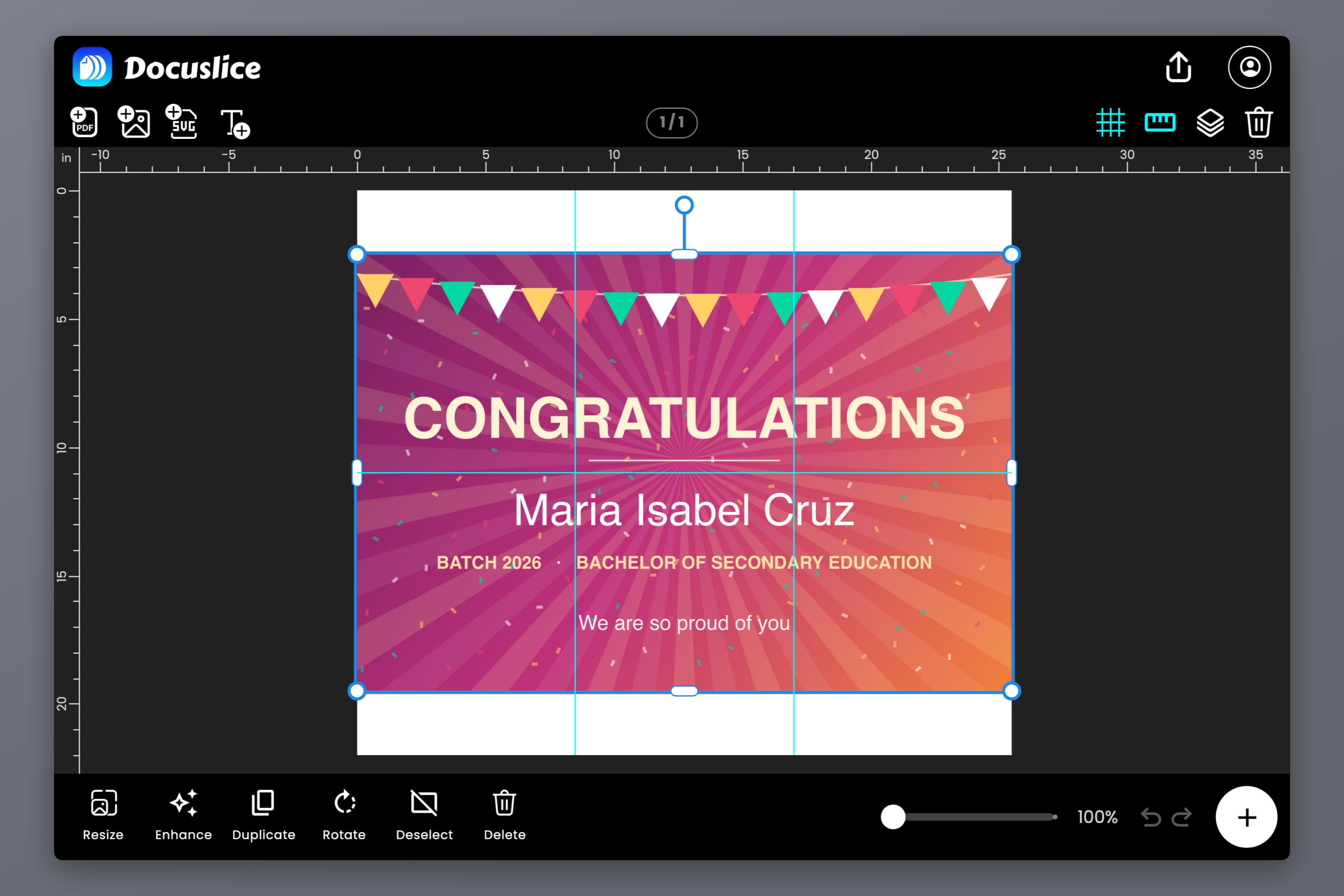
Open Paper and choose the size and orientation of the paper you actually have. A4 landscape is used here — a landscape sheet covers more of a wide banner per page, so fewer sheets and fewer vertical seams.
Letter, Legal, A3, A5, A6, Tabloid and the photo sizes are all there too, plus a custom size.
Step 3 — Set the banner size in feet
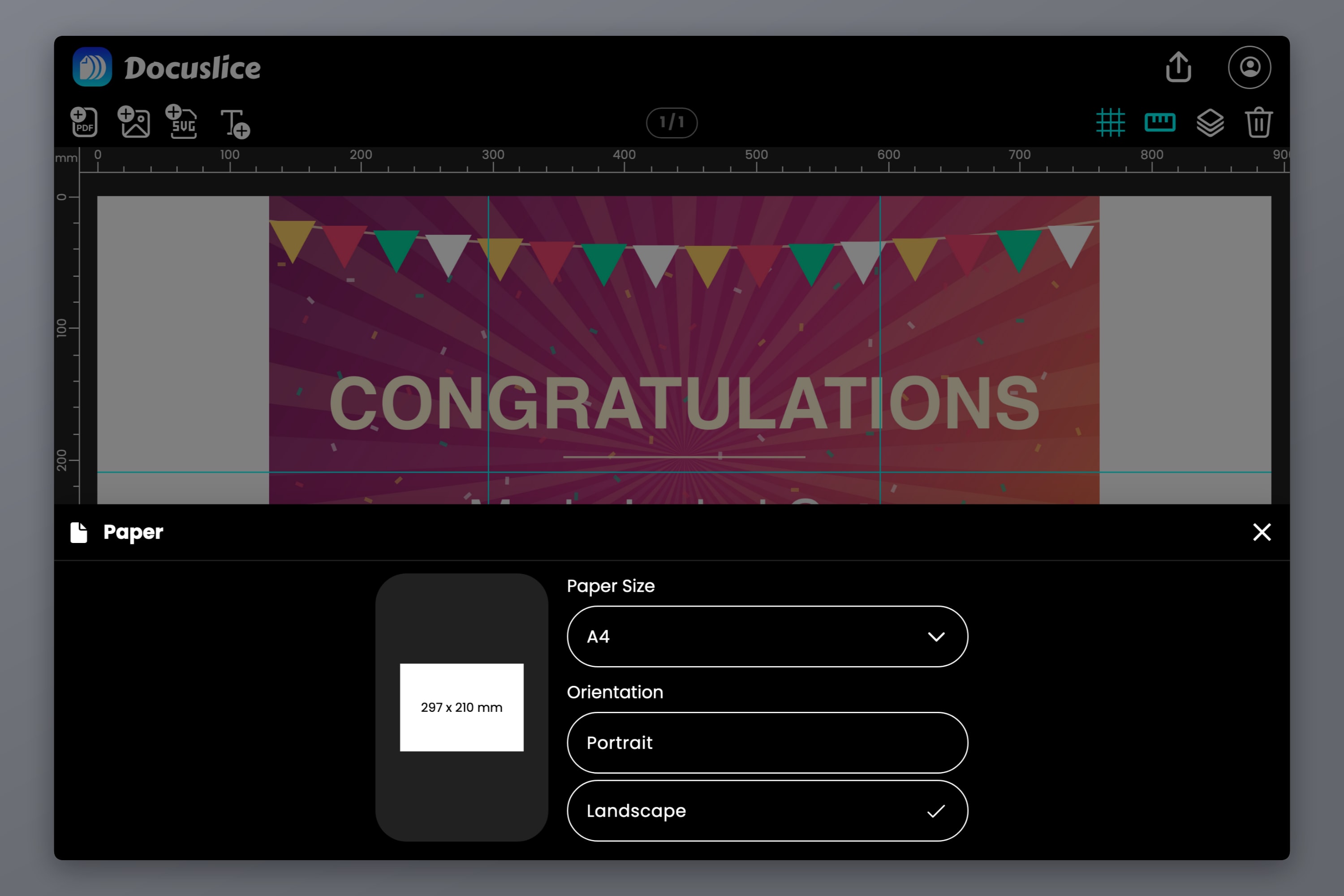
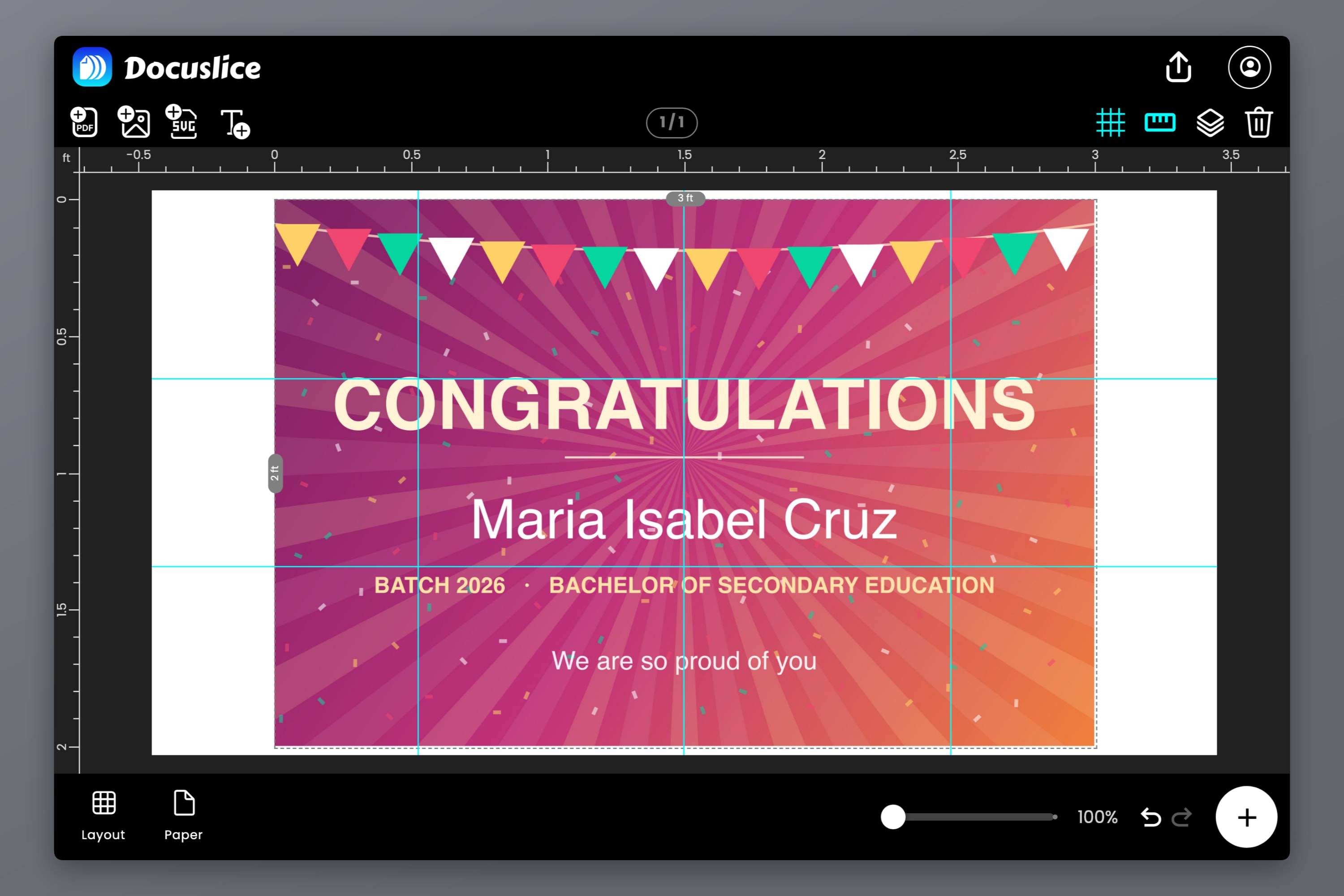
Open Layout, switch to Size, set the length unit to Foot (ft), and type the size you would have ordered: 3 wide by 2 tall.
This is the step that makes it a tarpapel generator rather than a printing tool. You are not choosing pages — you are stating the finished banner, exactly as you would tell a printing shop.
Step 4 — Check the grid
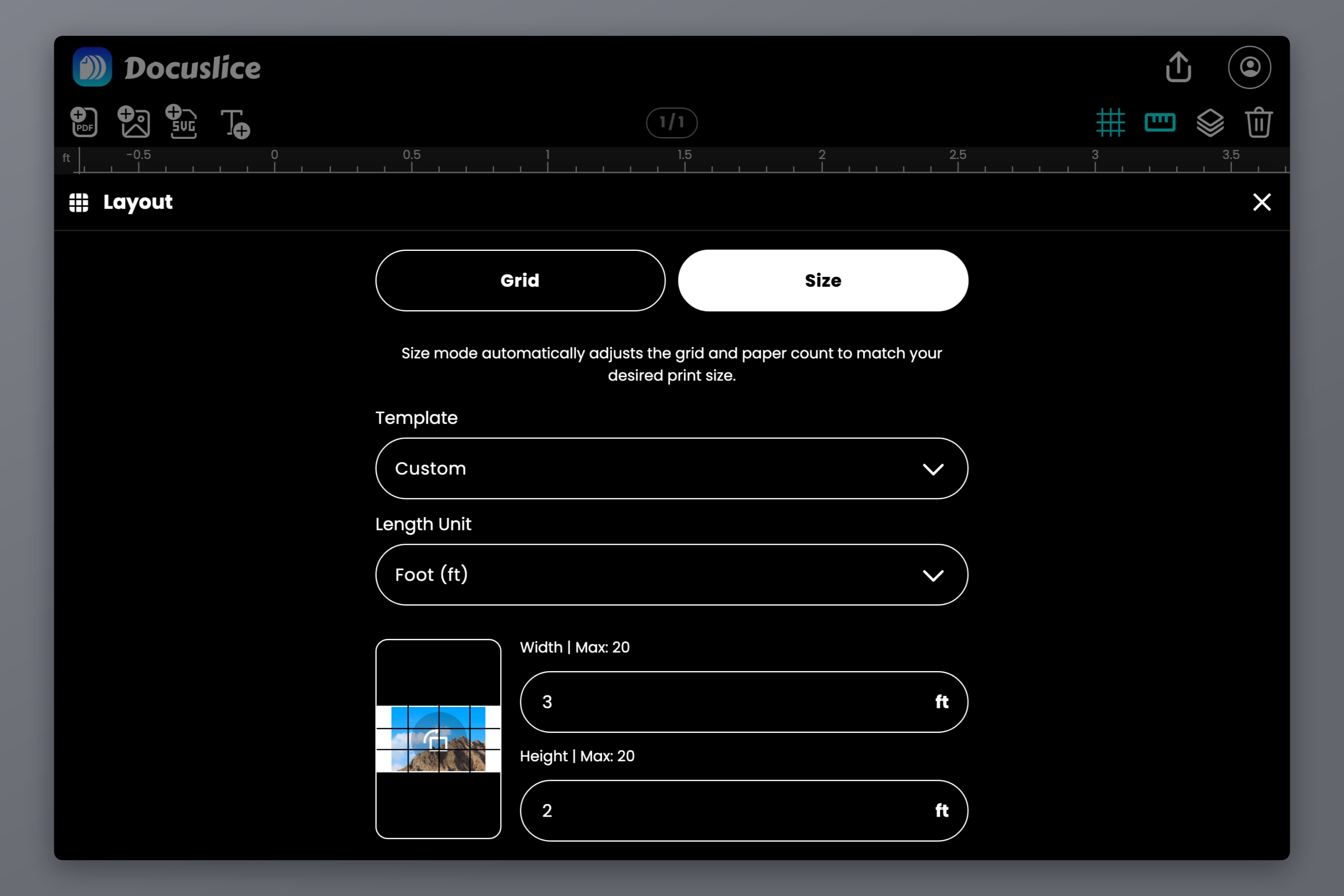
The canvas redraws with the tile dividers over your design. Look at where the seams land: a seam through the middle of a face is worth avoiding, and moving the artwork slightly now is free.
Step 5 — Read the sheet count in the export preview
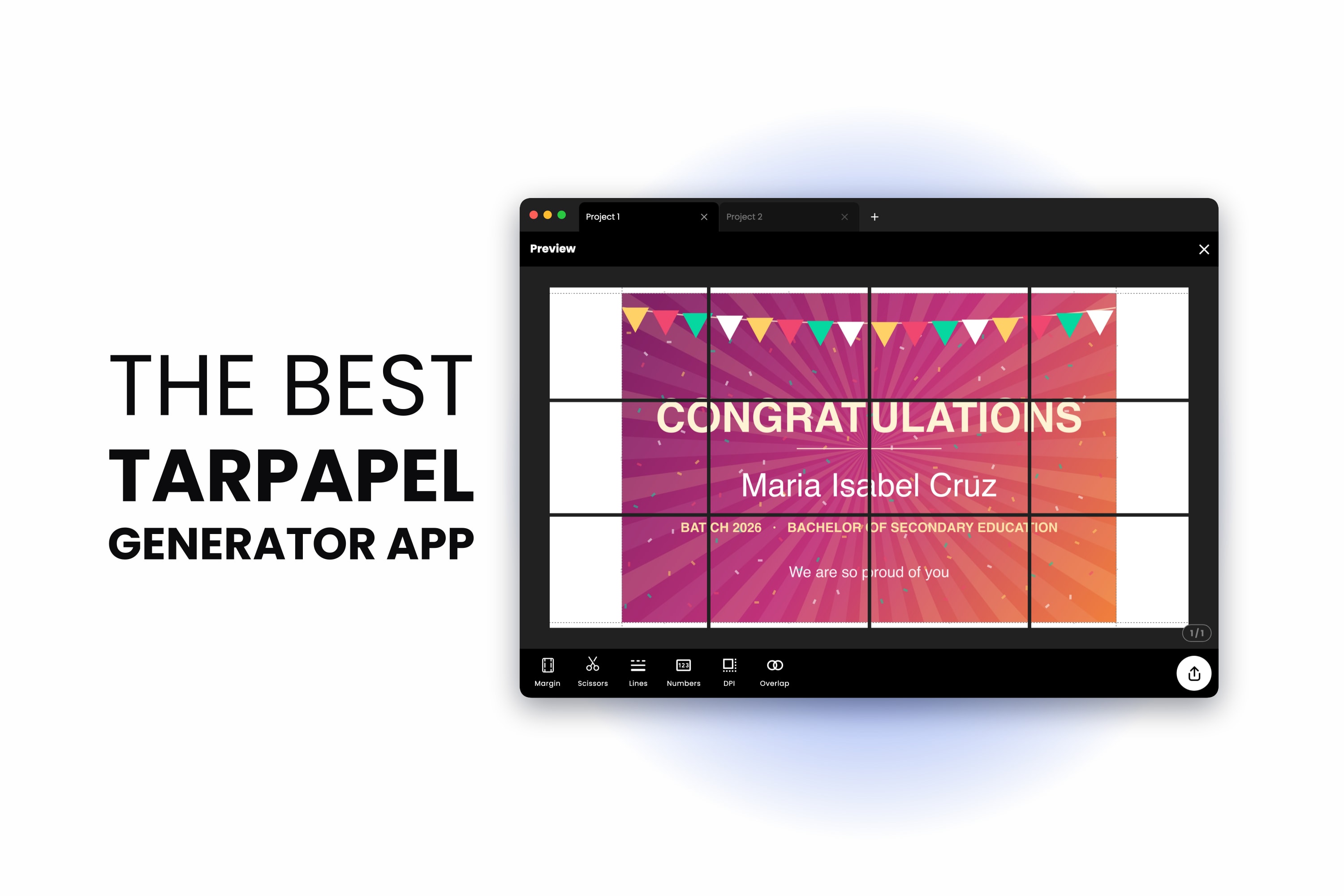
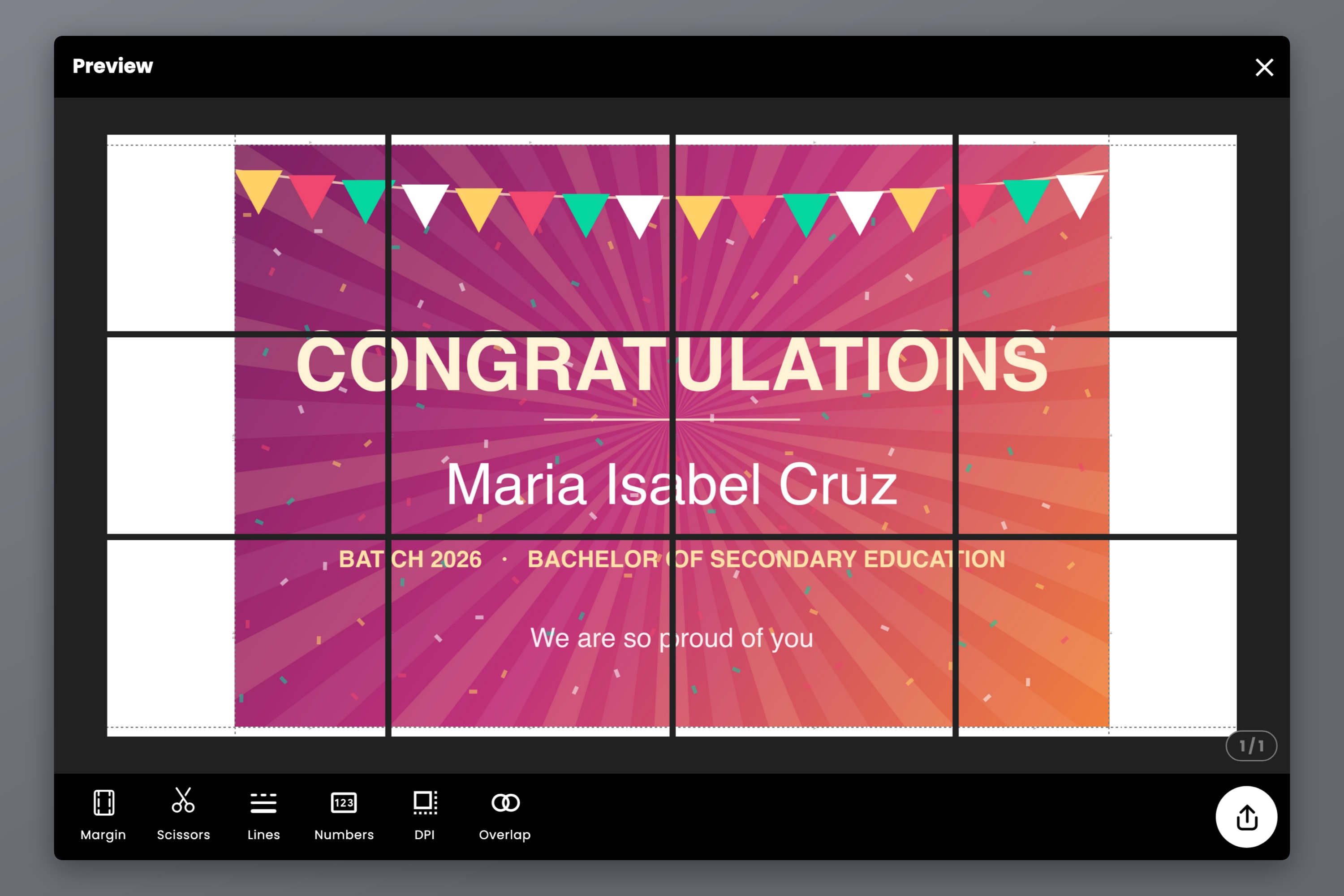
A 3 x 2 ft tarpapel on A4 landscape comes out as a 4 by 3 grid — 12 sheets.
Notice the white edges. The dotted line is your banner; the grid is the paper. Three feet is a little wider than three A4 landscape sheets, so the grid rounds up to four columns and centres the banner, leaving the two end columns part-blank. Two ways to handle it: trim them off, or set the width to 118 cm instead, which fills a four-column grid almost exactly.
Step 6 — Turn on page numbers
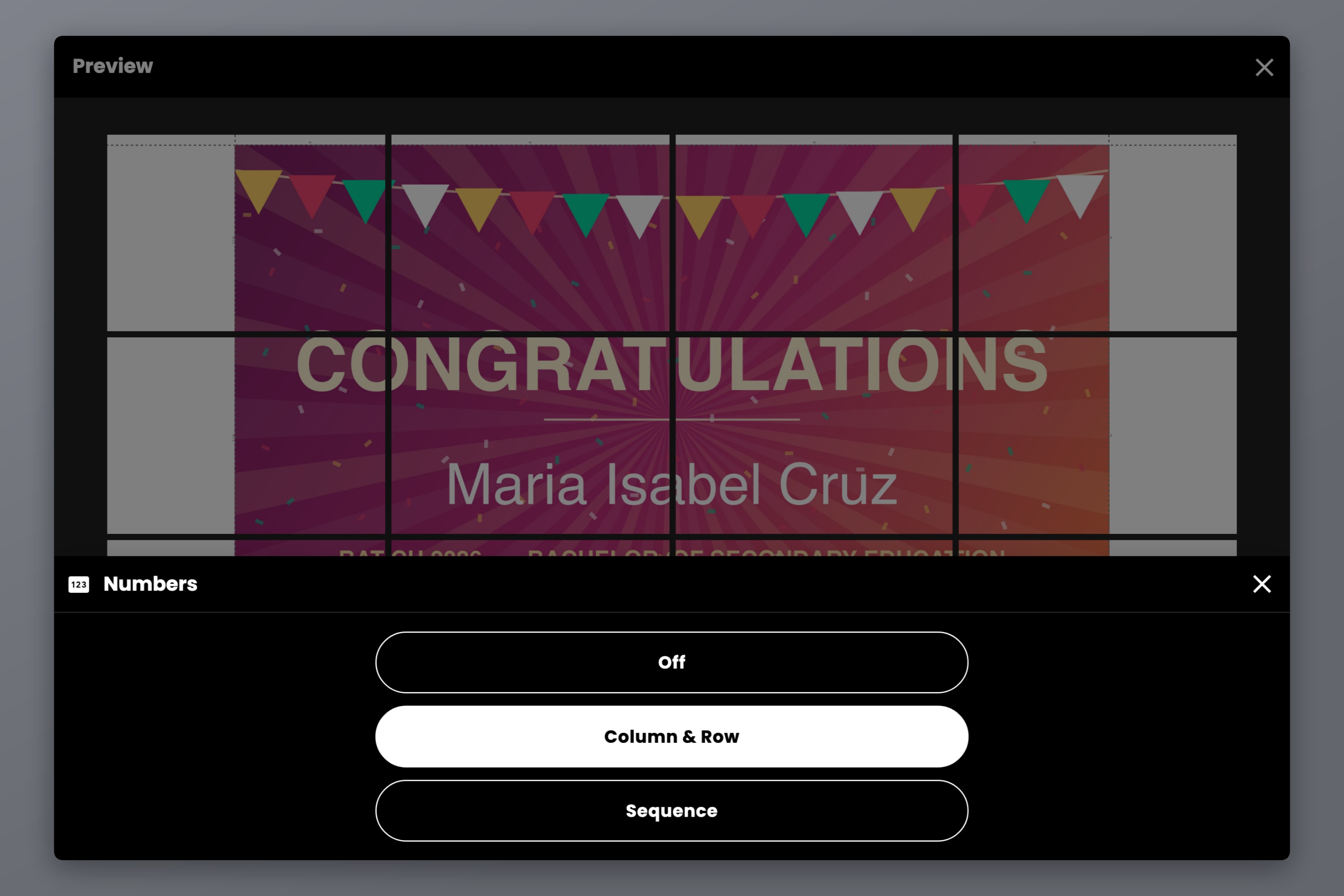
Numbers marks each sheet: Column & Row gives you grid coordinates, Sequence a running count. On twelve near-identical sheets this is not optional — it is the difference between taping a banner and doing a jigsaw.
Step 7 — Turn on cut lines
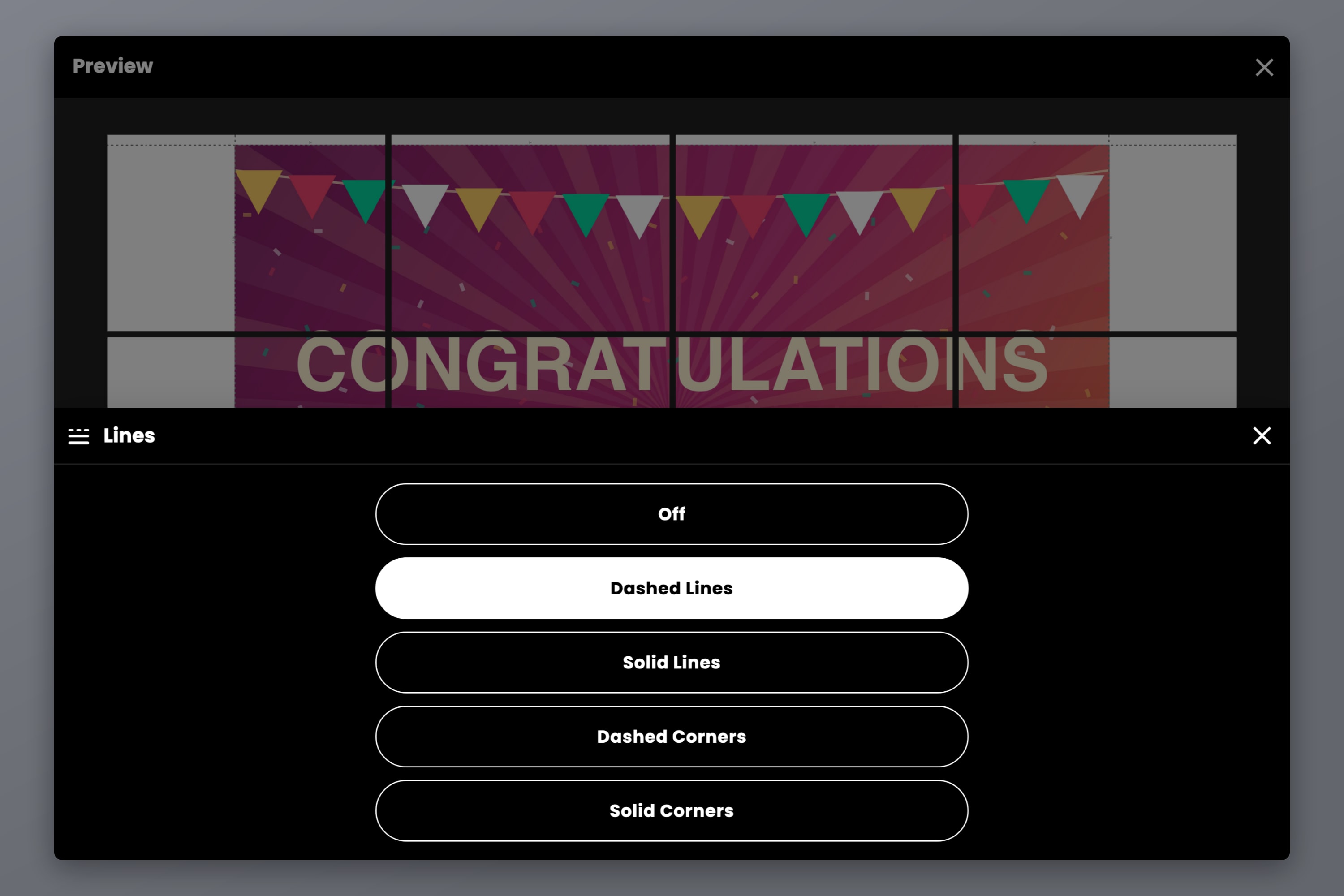
Lines prints a trim guide on every sheet: dashed lines, solid lines, or corner marks only. There is a Scissors setting too, which adds scissor marks so you can see at a glance which edge to cut.
Trim against a ruler, following the line. This one setting is most of the difference between a tarpapel that looks made and one that looks assembled.
Step 8 — Export and print
Export as a PDF or as images. The PDF is the one to use if you are printing yourself or handing the file to a computer shop; images are handy for printing from a phone.
Export resolution is set by DPI: Standard at 160 is free and is plenty for a banner read from across a room. High at 300 and Max at 600 are on the paid plans, which are one-time payments, not subscriptions.
Sizes people actually order
Sheet counts below are for A4 landscape paper with the margin set to zero. Change the paper and the numbers change.
| Tarpapel size | In centimetres | A4 landscape sheets |
|---|---|---|
| 2 x 3 ft (portrait) | 61 x 91 cm | 3 x 5 = 15 |
| 3 x 2 ft (landscape) | 91 x 61 cm | 4 x 3 = 12 |
| 4 x 3 ft | 122 x 91 cm | 5 x 5 = 25 |
| 6 x 4 ft | 183 x 122 cm | 7 x 6 = 42 |
Two things worth knowing before you pick one. The grid always rounds up to whole sheets, so a size that is a hair over a sheet boundary costs you a whole extra row or column — nudging the size down by a centimetre or two can drop the sheet count noticeably. And past about 25 sheets the taping starts to be the real work, so if you want something bigger than 4 x 3 ft, it is worth checking a printing shop's price first.
Printing, cutting and taping it properly
Print every sheet in one run. Colour drifts as a cartridge empties. Twelve sheets printed together match; six today and six tomorrow may not.
Trim two edges, not four. Cut the right and bottom edge of every sheet and leave the left and top alone. Each sheet then overlaps its neighbour with a clean cut edge sitting on top of printed area, and the seam almost disappears. Trimming all four edges leaves you butting two cut edges together, and every millimetre of error becomes a white line.
Tape on the back. Long strips down each seam. Tape on the front catches light and reflects differently from the paper.
Assemble on the floor, in order, before taping anything. Lay all twelve sheets out using the page numbers, check it reads correctly, then tape.
Mount it flat. Double-sided tape or blu-tack along the top edge and the corners. A paper banner sags if you only pin the corners.
Phone, browser or desktop
All three do the same job — pick by where the design already is.
| Best for | |
|---|---|
| Phone (iOS / Android) | The design is in your camera roll or a chat app. Make it on the way home, send the PDF to print. |
| Browser | Nothing to install. The one to use on a shared or borrowed computer, or in a computer shop. |
| Mac / Windows app | Big designs and lots of them. Most comfortable for a long editing session. |
How this compares to a printing shop
A shop tarpaulin is vinyl: weatherproof, seamless, with eyelets, and in the Philippines commonly quoted around ₱12 to ₱18 per square foot, so a 2 x 3 ft tarp lands somewhere near ₱100 to ₱150 depending on material and location. That is genuinely cheap, and if the banner is going outdoors or has to last, order it.
What a tarpapel gives you instead is time and revisions. It is done in the next twenty minutes, at any hour, and if the name is misspelled you print it again for the cost of a few sheets of paper. For a banner that hangs indoors for one afternoon, that trade is usually the right one.
Frequently asked questions
Tarpaulin plus papel — a tarpaulin-style banner printed on ordinary paper and taped together, instead of on vinyl. Same design and same size as a printed tarp, made at home.
Yes. Docuslice's free tier covers the whole flow described here: import, real-world sizing, tile grid, cut lines, page numbers and export at 160 DPI. Higher export resolution and vector PDF export are on the paid plans, which are one-time payments rather than subscriptions.
For A4 landscape paper: about 12 sheets for 3 x 2 ft, 15 for 2 x 3 ft, 25 for 4 x 3 ft. The app shows the exact count in the export preview before you print anything, so check it there — changing the paper size or orientation changes the answer.
Yes, start to finish. How to make tarpapel using phone covers the mobile flow, and the app is on both the App Store and Google Play.
Not much, if you trim only two edges of each sheet and tape on the back. What does show is trimming by eye — turn cut lines on and cut against a ruler.
Not really. Paper and tape do not survive rain or wind. For anything outdoors, order a vinyl tarpaulin. A tarpapel is for indoor walls and one-day events.
Yes, and this is a common route. Export the tiled PDF, bring it on a USB stick or send it by email, and any shop can print the pages on A4. You are only paying for ordinary page printing, not for banner printing.
That is the source image, not the tiling. Start from the highest-resolution file you have rather than a copy that has been through a chat app. How to Print a Large Image on Multiple Pages Without Losing Quality covers what to do when the original is all you have.
Same tool, different proportions. How to Print a Banner on Multiple Sheets of Paper covers the single-row case, including adding text on the canvas instead of importing a design.
Try Docuslice
More on the same thing: Docuslice: The best tarpapel maker.
If it is going outdoors, order the vinyl. If it goes on a wall on Saturday, you can have it printed before the shop reopens.